 PhotoCleaner

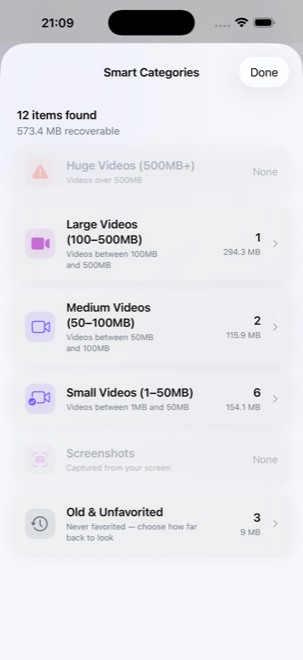
Smart Categories
Sorts your library into what is actually worth reviewing, videos first because that is where the space is. Then screenshots, and photos you have never favourited, with you choosing how far back that reaches.
Ten thousand photos, and you have looked at maybe two hundred. Start anywhere, finish something.
The hard part of clearing a camera roll is not deleting. It is deciding where to start, and none of these ask you to face the whole library.
Sorts your library into what is actually worth reviewing, videos first because that is where the space is. Then screenshots, and photos you have never favourited, with you choosing how far back that reaches.
Up to queue a deletion, sideways to move on, down for the grid. Nothing is removed until you commit the batch, and undo is always one tap away.
The small stuff that accumulates invisibly: tiny images saved from messages, and videos only a second or two long.
Sixty seconds, as many decisions as you can make. It sounds like a gimmick and works like one of those timers that gets you to do the dishes.
Work backwards by year and month, or revisit what you shot on this day in previous years. Old photos are the easiest to judge.
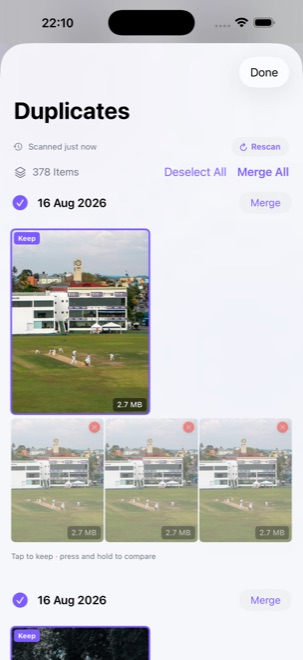
Exact copies, near-identical shots of one moment, and rapid-fire sequences. Each group keeps the best and marks the rest, so you confirm rather than choose.
Press and hold any group to open it full screen. Zoom into a face, swipe, and the same face is under your eye in the next frame at the same magnification. It is the only way to tell which of eleven near-identical shots has the eyes open.
A category, a month, a duplicate group, or just the beginning of your library. Each one is small enough to finish.
Deletions go into a queue rather than happening immediately, so a mistaken swipe costs you nothing. Review the queue, then commit it in one go.
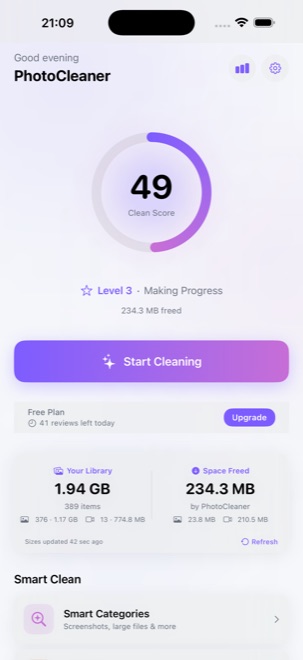
Every session ends with the number that matters: space freed, split between photos and video. Your clean score moves with it.
Every bit of analysis (finding duplicates, spotting clutter, measuring how much space something takes) happens on your device, using Apple's own photo framework. There is no upload step, because there is nowhere to upload to.
By people paying for it. That is the whole model.
There are no ads, no trackers, and no analytics companies involved. Nothing about you is for sale, because there is nobody to sell it to and nothing collected worth selling.
Every feature works without paying. The free tier caps deletions at 50 a day and locks nothing. If you subscribe, it is because you have already been using the app, not because a wall appeared in front of you.
There is no funding behind this and no growth target to hit. A subscription is what makes the next feature possible, and it is what makes building it worth the evenings.
Missing something? Send the request. It reaches one person, who reads it.
Prices are set per region and shown in your own currency in the App Store before you buy. There is no free trial, because the free tier is not one.
Free
50 deletions per day
Pro Monthly
Billed every month
Pro Annual
Billed every year
Payment is charged to your Apple ID at confirmation of purchase. Subscriptions renew automatically unless cancelled at least 24 hours before the end of the current period. Full details are in the Terms of Service.